
Jonathan Levit Presents
NEXUS REMOTE
Total control, in one hand. The original smart remote for magicians — invisible control, right where you need it. Start and stop routines, input data, and run your whole show without ever touching your phone.
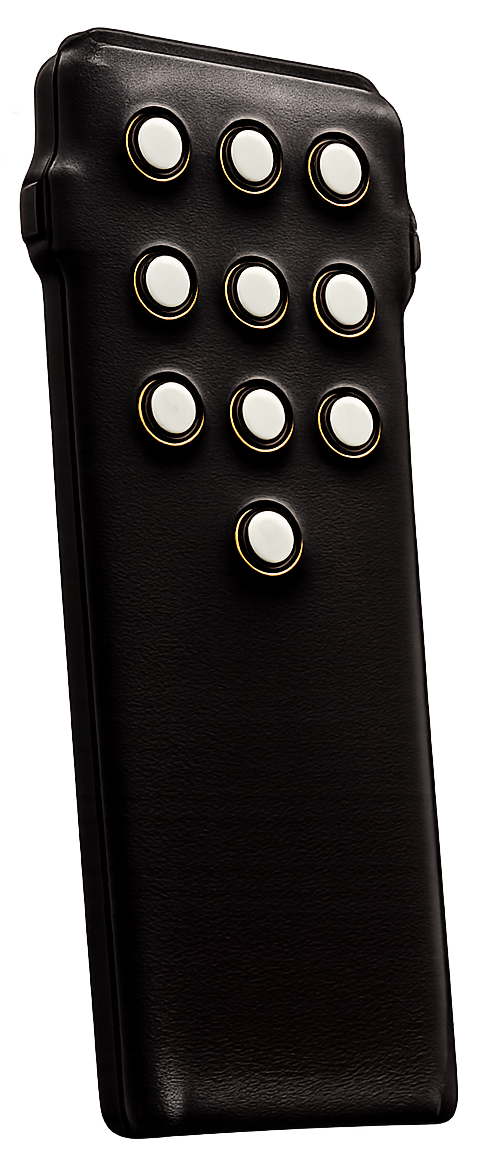
I · The Instrument
Professional, industry-grade hardware.
Built to a standard you can trust. The Nexus Remote runs firmware on Nordic Semiconductor’s industry-standard SDK with direct manufacturer support, on silicon trusted by the makers of smartphones and smartwatches.
- Advanced haptics engine — precise tactile feedback confirms every press, so you never have to look.
- Palm-sized form factor — sleeker and slimmer, and it disappears in the hand.
- Pre-certified Raytac radio — a proven module carrying worldwide approvals.
Engineered by a working magician, with input from some of the world’s best.
II · Capabilities
One remote. Your whole toolkit.
The Remote adapts to wherever you are in Nexus — and reaches well beyond it.
Switchboard
An advanced macro engine that made app magic hands-free for the first time. One press, and an entire workflow runs itself.
Profiles
Over a dozen ready-made button layouts, so one remote works across the magic apps you already use.
Incognito
Put any profile to work on a spectator’s own phone — with full Switchboard automation on iPhones.
Peek
Send your information to a discreet companion display, readable at a glance.
Watch
Connect directly to smartwatches — whichever gives you the most reliable setup.
Bespoke to Nexus
Wherever you are in Nexus, the Remote switches its capabilities to match — input data, run Eavesdrop, and launch your Pathways, all without the phone.
III · The App
Setup, simplified.
Configuring the remote has never been simpler. The app takes on the setup that once had to be done by hand — and puts every control in one place.
- Firmware updates
- Switchboard management
- Backup and restore
- Quick configuration
- Shortcuts
- Peek devices
- Watch connection
- Incognito controls
- Settings
- Interactive guide
The Nexus Remote App
Coming soon to the App Store
Firmware, Switchboard, backups and every setting — from your phone.
IV · Setup & Buttons
Every button, explained.
The Remote’s buttons change depending on which screen you’re on in the Nexus app. The full set-up and functions sheet walks through all of it — powering on, choosing and launching Pathways, entering data, and every button in between.
- Launch a Pathway — long-press any of the top nine keys once a Pathway is selected. It syncs your Apple Watch too.
- Cycle the list — short-press left or right to move through your Pathway Sets and Pathways.
- Enter a playing card — key in the value and suit; a haptic buzz confirms the entry.
V · Works With
Built for the best systems in magic.
Jonathan Levit
NexusOS & Nexus Now
Creator of The Stranger, NexusOS and Nexus Now. NexusOS is the engine behind the routine; Nexus Now puts professional, performance-ready mentalism and magic a single tap away.
Explore Nexus →Felippe Nardi
Inside The Show
Creator of Inside The Show. The Remote partners with ITS Remote and ITS Stage, extending hands-free control across another of the finest platforms in magic.
The Family
Hello, World!